Choosing the best projector for a classroom is very important. A good projector helps teachers show lessons clearly. It also makes learning fun and easy. But with many projectors available, picking the right one can be hard. This guide will help you find the best projector for your classroom.
Why Do Classrooms Need Projectors?
Projectors help teachers show videos, pictures, and text to many students. They make lessons more interesting than just reading from a book. When students see things on a big screen, they understand better. Projectors also help in group work and presentations.
Without projectors, students might miss details. Small screens are hard to see from the back. A good projector shows clear and bright images. This helps all students see the lesson well.
Important Features to Look For
Not all projectors are good for classrooms. Some work better than others. Here are key features to consider when choosing a classroom projector.
1. Brightness (lumens)
Brightness is how clear and bright the picture is. It is measured in lumens. Classrooms usually have some light. So, the projector must be bright enough to show clear images even with light.
Recommended brightness: At least 3000 lumens for most classrooms.
2. Resolution
Resolution means how sharp the image is. Higher resolution means clearer pictures and text. For classrooms, a resolution of 1024×768 pixels (XGA) is good. If you want better quality, look for 1920×1080 pixels (Full HD).
3. Contrast Ratio
Contrast ratio shows the difference between dark and light areas. A higher ratio means clearer images with better details. For classrooms, a contrast ratio of 2000:1 or more works well.
4. Portability
Some classrooms need projectors that can move easily. Portable projectors are light and easy to carry. If your classroom changes or you teach in different rooms, choose a portable model.
5. Connectivity Options
Projectors should connect to many devices. Look for HDMI, VGA, USB, and wireless options. This way, you can connect laptops, tablets, or phones easily.
6. Lamp Life
Projector lamps wear out over time. A lamp with longer life means less cost and less worry. Look for projectors with lamp life of at least 10,000 hours.
7. Sound
Some projectors have built-in speakers. This helps if you don’t have extra speakers in the classroom. But built-in sound is usually small. For large rooms, use external speakers.
Types of Projectors for Classrooms
There are many types of projectors. Each has pros and cons. Here are the main types used in schools.
1. Lcd Projectors
LCD (Liquid Crystal Display) projectors use glass panels to show images. They give bright and clear pictures. Colors look good and natural. LCD projectors are common in classrooms.
2. Dlp Projectors
DLP (Digital Light Processing) projectors use tiny mirrors. They show sharp and smooth images. They are usually smaller and lighter than LCD projectors. DLP projectors work well in classrooms with less light.
3. Led Projectors
LED projectors use LED lights. They last longer and use less power. LED projectors are often smaller and portable. But they may not be as bright as LCD or DLP models.
4. Laser Projectors
Laser projectors are bright and last a long time. They show very clear images. But they can be expensive. Good for big classrooms or lecture halls.
Best Projector Features for Different Classroom Sizes
Classroom size matters when picking a projector. Here is a guide for small, medium, and large rooms.
| Classroom Size | Recommended Brightness | Resolution | Other Tips |
|---|---|---|---|
| Small (up to 20 students) | 2500 – 3000 lumens | XGA (1024×768) | Portable models work well |
| Medium (20-40 students) | 3000 – 4000 lumens | WXGA (1280×800) or Full HD | Good connectivity options needed |
| Large (40+ students) | 4000+ lumens | Full HD (1920×1080) | Consider laser projectors or external speakers |

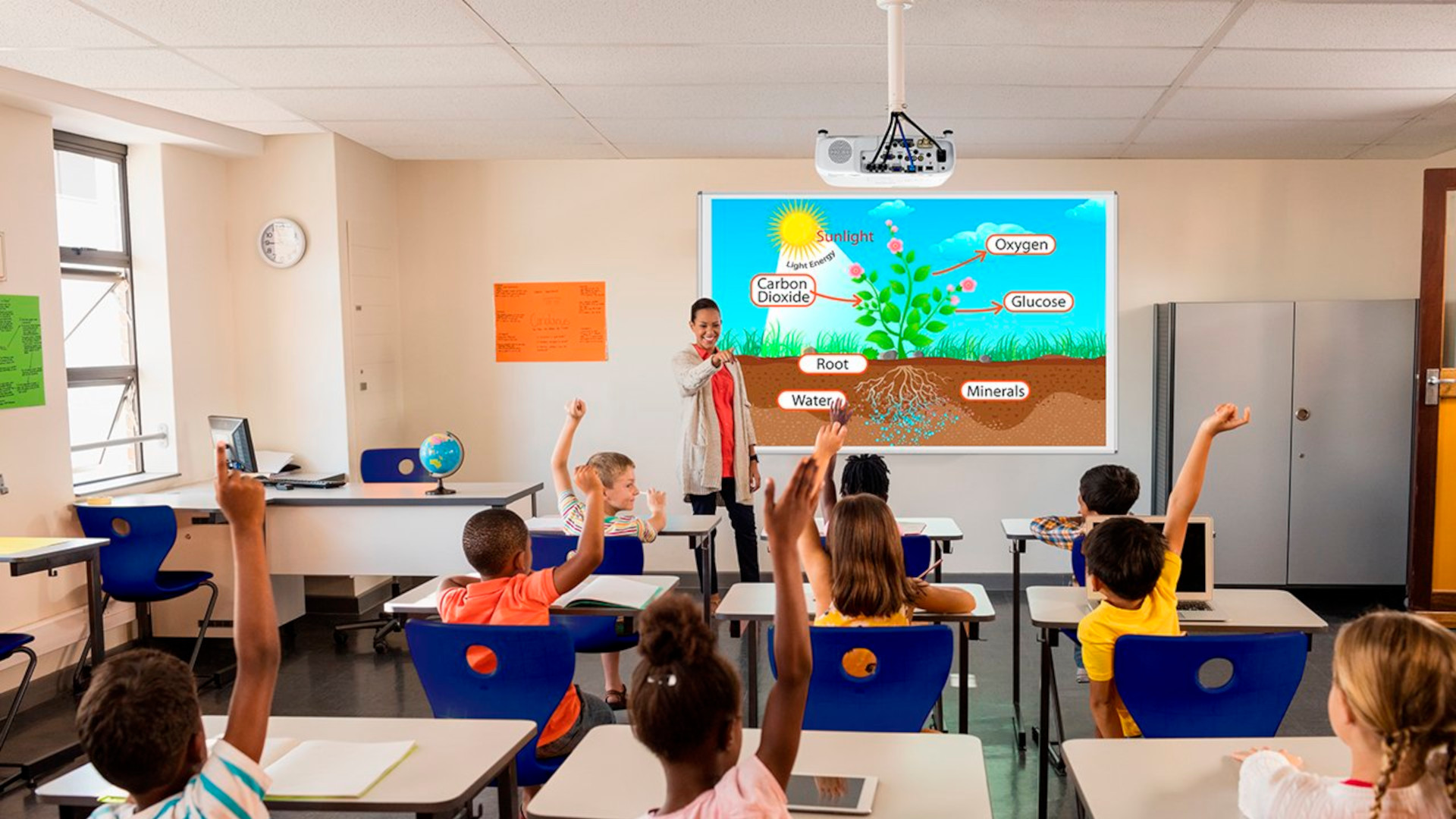
How to Set Up a Projector in a Classroom
Setting up a projector is easy if you follow some steps. Here is a simple guide.
- Choose a place where all students can see the screen.
- Mount or place the projector on a stable surface.
- Connect the projector to your device using HDMI or VGA cables.
- Turn on the projector and your device.
- Adjust the focus and image size for clear view.
- Check the sound and volume if needed.
- Turn off lights if the room is too bright for better image.
Tips to Get the Best Use of a Classroom Projector
- Keep the projector lens clean for clear images.
- Use a white or light-colored screen or wall.
- Close curtains or blinds to reduce light during presentations.
- Use simple slides with big fonts for easy reading.
- Test the projector before the class starts.
- Keep spare bulbs or lamps ready if possible.
Summary: What Projector Is Best for Your Classroom?
The best projector depends on your classroom size and budget. Brightness is very important. Choose a projector with at least 3000 lumens for most classrooms. Resolution should be clear enough to read text easily.
LCD and DLP projectors are popular and reliable choices. LED projectors are good for portability and energy saving. Laser projectors work well for large rooms but cost more.
Check the connectivity options you need. Make sure the projector connects to your devices easily. Also, consider lamp life and sound features.
Remember, a good projector helps students learn better. It makes teaching easier and lessons more fun. Take time to pick the right one. It will help your classroom for many years.
Frequently Asked Questions
What Features Matter Most In A Classroom Projector?
Brightness, resolution, and connectivity are key features. Brightness ensures clear images in daylight. Resolution affects text sharpness. Connectivity helps connect different devices easily.
How Much Brightness Is Needed For Classroom Projectors?
Classroom projectors need at least 3000 lumens. This helps images stay clear even with lights on. Higher brightness works well in bigger rooms.
Should Classroom Projectors Support Wireless Connections?
Wireless support adds convenience and reduces cable clutter. Teachers can connect laptops or tablets easily. It helps quick content sharing in class.
What Is The Ideal Resolution For Classroom Projectors?
A minimum of 1080p (Full HD) resolution is good. Clear text and images help students see better. Lower resolution may cause blurry visuals.