Many golf lovers want to play indoors. A golf simulator can help. But can you use any projector for golf simulation? This question is common. Choosing the right projector is important. It changes how good your golf game feels inside.
What Is a Golf Simulator?
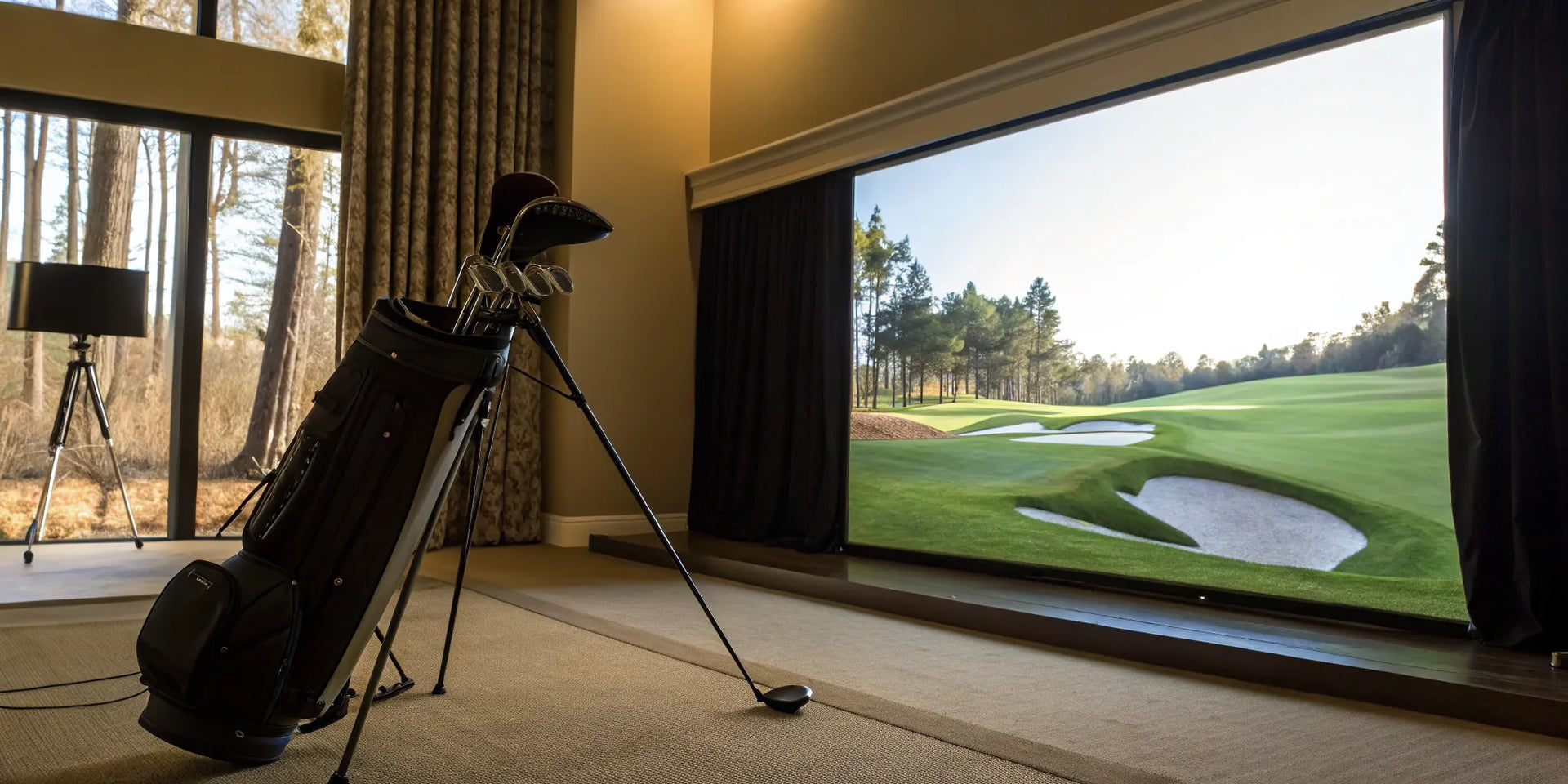
A golf simulator lets you play golf inside your home. You hit a real ball on a special screen. The simulator shows where the ball goes. It uses sensors and a projector. The projector shows the golf course on the screen. It feels like you are outside.
Why Does the Projector Matter?
The projector shows the golf course picture. It needs to be clear and bright. A bad projector makes the image dark or blurry. This can spoil your fun. So, the projector is very important.
Can You Use Any Projector?
Not all projectors work well for golf simulators. Some projectors are made for movies or business talks. Golf simulators need special features. Using just any projector is not the best idea.
Key Features Needed In A Golf Simulator Projector
- Brightness: The projector should be bright. This means it shows clear images even in light rooms.
- Resolution: High resolution means sharp images. You can see details on the golf course.
- Throw Distance: This is how far the projector can be from the screen. Some projectors need to be far, others can be close.
- Input Lag: Low input lag means the picture changes fast. This is important when you hit the ball.
- Portability: If you want to move the setup, the projector should be easy to carry.
- Compatibility: The projector must work well with the golf simulator system you have.
Types of Projectors and Their Use in Golf Simulators
Not all projectors fit the golf simulator setup. Let’s look at common types.
| Projector Type | Good for Golf Simulator? | Why or Why Not? |
|---|---|---|
| Home Theater Projectors | Yes | Bright, good resolution, low input lag |
| Business Projectors | No | Lower resolution, not bright enough |
| Short Throw Projectors | Yes | Can be close to screen, saves space |
| Ultra Short Throw Projectors | Yes | Very close to screen, good for small rooms |
| Portable Pocket Projectors | No | Low brightness and resolution |
Why Not Use Business or Pocket Projectors?
Business projectors work well in dark rooms for presentations. But golf simulators need bright images. Business projectors often lack brightness and resolution. The picture might look dull or unclear.
Pocket projectors are small and easy to carry. But they are not bright or sharp. The image quality is poor. This makes the golf game less fun.
Importance of Brightness in Golf Simulators
Brightness is measured in lumens. The more lumens, the brighter the picture. For golf simulators, at least 2,500 lumens is good. If your room has some light, you need more brightness.
If the projector is not bright enough, the image will be hard to see. This hurts your game experience.
Resolution and Its Role
Resolution means how many pixels the image has. More pixels mean clearer images. Golf simulators need at least 1080p resolution. This is called Full HD. It shows golf courses in good detail.
Lower resolution projectors make images blurry. This is not good for seeing the golf course clearly.
Throw Distance and Room Size
Throw distance is how far the projector sits from the screen. You need to know your room size before choosing a projector.
If your room is small, use a short throw or ultra short throw projector. These projectors can sit close to the screen. This saves space and reduces shadows.
For big rooms, a normal projector with a long throw distance works fine.
Input Lag and Why It Matters
Input lag is the delay between your action and the screen change. In golf simulators, low input lag is important. You want the screen to respond quickly when you hit the ball.
High input lag makes the game feel slow or strange. This can ruin your experience.
Projector Placement Tips
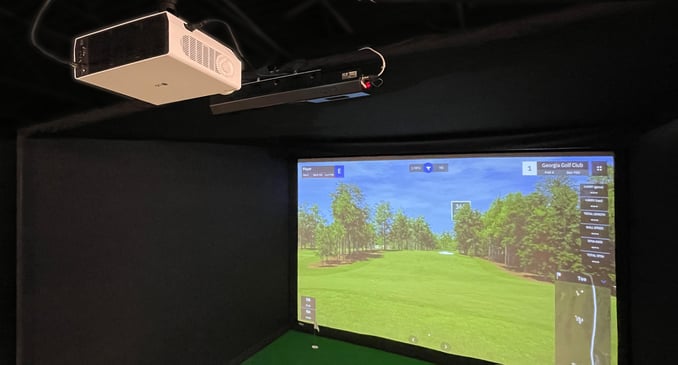
Place the projector so it does not block your swing. It should be out of the way but still show a clear image.
Use ceiling mounts or side tables to keep the projector steady. A moving projector can blur images.
Common Mistakes When Choosing a Projector
- Picking a low-brightness projector to save money
- Ignoring resolution and getting a blurry image
- Buying a projector without checking throw distance
- Not considering input lag for smooth gameplay
- Using business or pocket projectors meant for other uses
Summary
Can you use any projector for golf simulator? Technically yes, but not all projectors work well. You need a projector with good brightness, high resolution, and low input lag. Also, consider the throw distance for your room size. Home theater, short throw, and ultra short throw projectors are best. Avoid business and pocket projectors. They often lack the needed features.
Choosing the right projector makes your golf simulator fun and realistic. Think about your room, your budget, and the projector features. This helps you pick a good match. Then, you can enjoy golf anytime, rain or shine.
Frequently Asked Questions
Can Any Projector Work For A Golf Simulator?
No, not all projectors suit golf simulators. You need one with high resolution and brightness for clear images.
What Projector Features Matter Most For Golf Simulators?
Look for high brightness, good resolution, and low input lag. These improve image clarity and response time.
Is 4k Resolution Necessary For Golf Simulators?
4K is nice but not required. A 1080p projector often works well and costs less.
How Bright Should A Golf Simulator Projector Be?
Aim for at least 2,000 lumens. Brightness helps keep the image clear in various lighting.