If you have a projector at home or school, you might want to control it easily. But what if you lose the remote? Or you have many remotes and want just one remote for all devices? This is where a universal remote comes in.
Many people ask, “Will a universal remote work on a projector?” The answer is usually yes, but it depends on some things. In this article, we will explain how universal remotes work and if they can control your projector.
What Is A Universal Remote?
A universal remote is a remote control that can work with many devices. You do not need a separate remote for your TV, DVD player, or projector. One remote can do the job.
Universal remotes can control devices from many brands. They use a special way to send signals. These signals tell the device what to do. For example, turn on, turn off, change volume, or switch input.
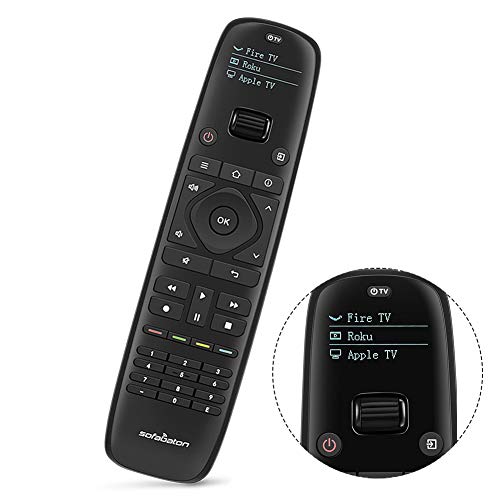
How Does A Universal Remote Work?
Universal remotes use infrared light to send commands. The remote sends a small light beam to the device. The device has a sensor that reads the signals. The sensor changes the signal to actions.
The remote needs to know the right code to send. Each device brand has different codes. Universal remotes have many codes stored inside. You choose the correct code for your device, and it works.
Can A Universal Remote Control A Projector?
Most projectors use infrared signals. This means a universal remote can work with many projectors. But there are some things to check first.
- Projector Brand: Make sure your universal remote has codes for your projector brand.
- Model Support: Some projectors have special features. The universal remote might not support all functions.
- Programming: You need to program the remote with the right code for the projector.
If your universal remote has the right codes, it will work. If not, you might try manual code search or learn mode.
How To Program A Universal Remote For A Projector
Programming a universal remote is easy. Here are the steps:
- Turn on your projector.
- Find the code list in your universal remote manual.
- Look for your projector brand in the list.
- Enter the code using the remote buttons.
- Point the remote at the projector and press power.
- If the projector turns off, the code works.
- If not, try other codes or use code search.
Many universal remotes have a code search function. This function tries all codes until it finds one that works.
Learning Mode: Another Way To Use A Universal Remote
If you cannot find the right code, use learning mode. This means the universal remote copies signals from the original remote.
Here is how to do it:
- Have the original projector remote and universal remote ready.
- Put the universal remote in learning mode.
- Press a button on the original remote.
- The universal remote saves that button signal.
- Repeat for other buttons you want to copy.
- Test the universal remote on the projector.
Learning mode works well if you have the original remote. It copies the exact signals.

Possible Problems Using A Universal Remote With A Projector
Sometimes, a universal remote does not work perfectly with a projector. Here are some reasons:
| Problem | Explanation | Solution |
|---|---|---|
| No Response | Wrong code or signal not sent properly. | Try other codes or learn mode. |
| Partial Control | Some buttons do not work. | Check if universal remote supports all functions. |
| Remote Range | Infrared needs line of sight. | Point remote directly at projector sensor. |
| Battery Issues | Low battery can cause weak signals. | Replace batteries with new ones. |
Tips To Use A Universal Remote With Your Projector
- Check your projector manual for remote info.
- Keep the remote sensor clean on the projector.
- Use fresh batteries in the universal remote.
- Keep the remote close and point it at the projector.
- Test all buttons after programming the remote.
- Keep the original remote if possible for backup.
Frequently Asked Questions
Will A Universal Remote Control My Projector Easily?
Universal remotes often work with projectors if they support the right codes. Check the remote’s manual to find compatible projector brands and models.
Can All Universal Remotes Operate Any Projector Brand?
Not all universal remotes support every projector brand. Compatibility depends on the remote’s code library and projector model.
How Do I Program A Universal Remote For My Projector?
Programming usually involves entering a code from the remote’s list. Follow the steps in the remote’s instruction manual for setup.
Will A Universal Remote Control Projector Volume And Power?
Most universal remotes can control basic functions like volume and power. Advanced features may need the original remote or special codes.
Conclusion
Yes, a universal remote can work on a projector. Most projectors use infrared signals. Universal remotes can send these signals if programmed correctly.
You need to find the right code or use learning mode. Sometimes, some buttons may not work perfectly. But basic functions like power and volume usually work well.
Using one remote for many devices is easy and helpful. It reduces the number of remotes you need. It also makes controlling your projector simpler.
Try a universal remote with your projector. Follow the steps to program it. If done right, you will enjoy easy control of your projector.
Now, controlling your projector is less confusing. One remote can do it all. That is the power of a universal remote.